Diskeeper 2007 vs Windows XP defrag
Posted on Aug 13, 2007 by
Paul WhiteAfter I completed my article on how to run
windows XP defrag, I came to realize that there are many third party applications that also allow you to defrag your computer. Since every
Windows XP computer comes with Defrag installed by default, why would anyone need a third party application to do the same thing? Of course the reason is
Windows XP defrag does just as it says, it defrags. But it does not optimize the structure of your files. Having your computer move files around for the fastest access can give you a nice performance increase. After a quick search on google I found a program that does this.
Diskeeper 2007. They even have a 30 day trial, that can be downloaded from their website.
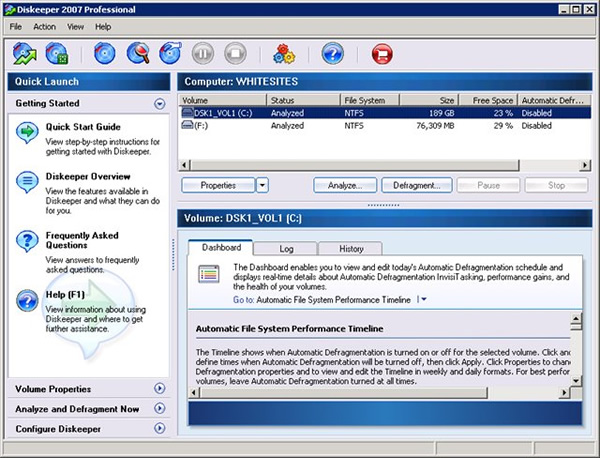
I downloaded and installed the trial version. Upon running it for the first time I see a screen like this.
After running analyze on my C: drive I got this

Keep in mind that just last night I ran
Windows XP defrag. I was shocked to see how bad the performance of my file structure was. Its obvious that
Windows XP does not provide any function to speed up access to your files and folders. So I clicked "Defragment" and it started to go to work on my C: 30 minutes later it had finished.
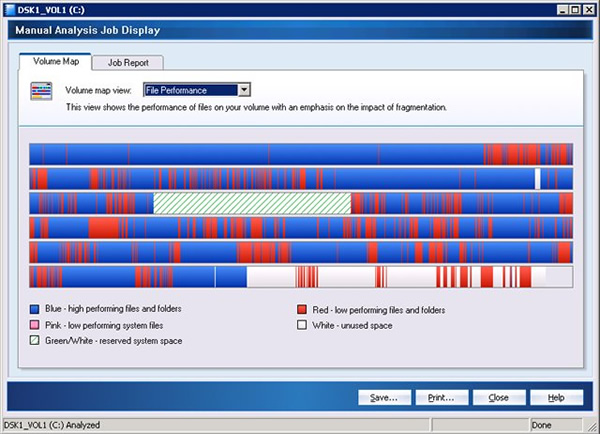
Now that it was done and it appeared ( graphically ) to have done something to help my computer.
I closed the program and rebooted to see what kind of real performance gain I got.
I was amazed in how fast my computer booted up. Programs like Outlook Express usually would take a good 8 seconds to open up before. But now its opens in about 2 seconds.
Discussion
No Comments have been submitted
 WhiteSites Blog