Dec 11, 2018 by Paul White
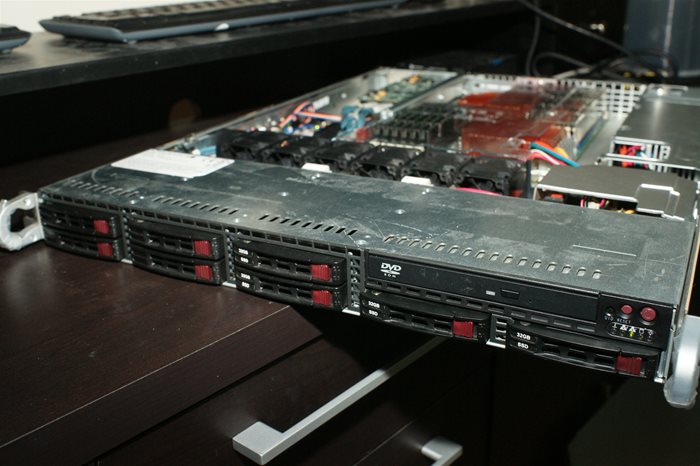
Normally when a web server goes down you would think its from something major, like a power outage, or a disk failure. In my case it was a failing 2.5" 2TB WD Green drive. In case anyone else has failing server, this might help you.
Aug 5, 2014 by Paul White
A couple months ago I colocated my new server, and have been slowly migrating all the data from my old server to the new one. All this time, the new sever has been solid. That was until last night. When my raid card decided to drop a couple drives. Making the system unresponsive, resulting in about 6 hours of downtime while My datacenter guy and me tried to diagnose the problem and get it back online. For anyone thinking about putting WD green drives in a server, you might want to rethink that.
Feb 21, 2013 by Paul White
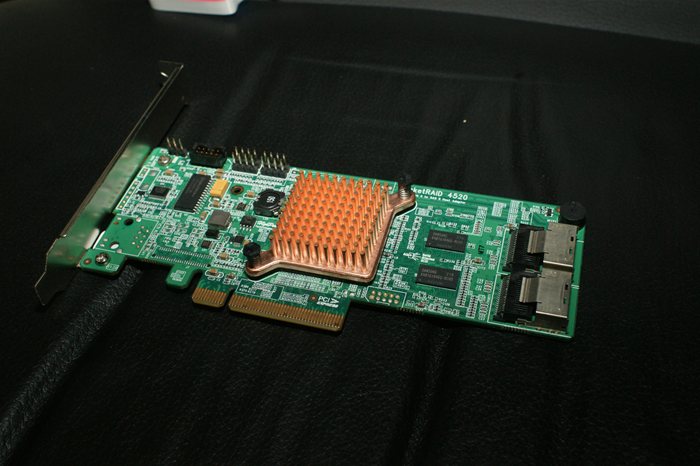
I took a gamble and decided to try Highpoint's latest flagship Raid Card ( RocketRaid 4520 ) for my new web server. Naturally when I get a new piece of hardware I like to put it through some benchmarks to see if it really performs the way it should. When this combined with your Operating System's Buffering and Caching this card is Excellent, but when Direct I/O is tested is falls short. To make a long story short, the Rocketraid 4520 does not perform well for IOPS at 4K. I have already contacted HighPoint and they inferred that their engineering team is aware of this, and are working on a new firmware that should fix the issues.
10 Comments
12121 Visitors
12121 Views
Jan 18, 2013 by Paul White
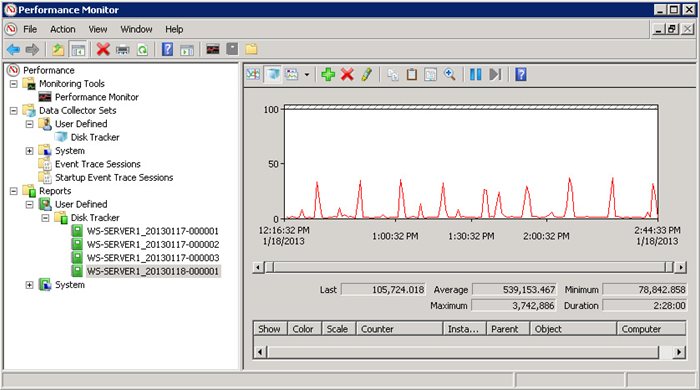
Before anyone considers throwing an SSD into your server, its important to be sure your server is not going to destroy that SSD with writes after a few months. In this guide I will show you how to use Performance monitoring in Windows Server 2008 R2 to determine what kind of write activity your server is currently doing. Then after that we can calculate our daily and annual writes, allowing us to determine how long that shiny new SSD will last in our server.
13745 Visitors
13745 Views
Dec 30, 2012 by Paul White
I am currently building a new Server for Colocation. This time around I am going to use SSD drives instead of the 15K SAS drives. Even though the 15K SAS drives have been reliable performers, the newest SSD drives simply blow them away in terms of IO. However SSD drives have a few issues you should be aware of. Wear Leveling! But before you decided that SSD drives are too much risk for your server, do the math, and ask yourself, how much writing does your server really do.
Nov 19, 2010 by Paul White
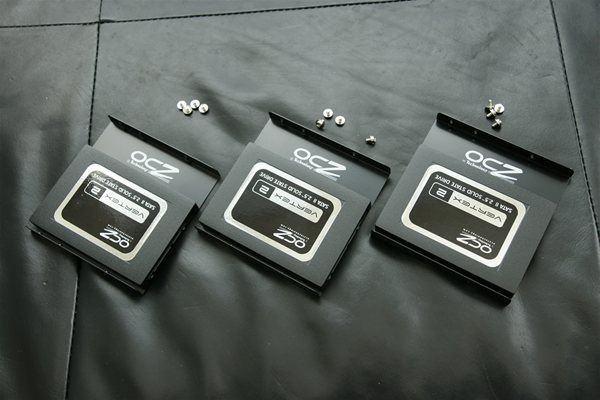
So I finally have made the move to SSD. Unlike many who went with a single SSD drive I went with an SSD raid 0 Array. Using 3 OCZ Vertex 2 60 GB SSD drives, I setup a RAID 0 array on my ASUS P6T Deluxe Motherboard's built in Intel ICH10R SATA controller. The benchmarks were outstanding. Maybe I could have gotten a little better performance from using a dedicated RAID card, but 700 MB/sec read and write is good enough for me.
3 Comments
15252 Visitors
15252 Views
Nov 17, 2010 by Paul White
During my quest to upgrade my computer from my 4 disk SAS raid array to a 3 disk SSD raid array, I had a few learning experiences with the windows 7 backup and restore system. Hopefully my tips will help others.
Apr 12, 2010 by Paul White
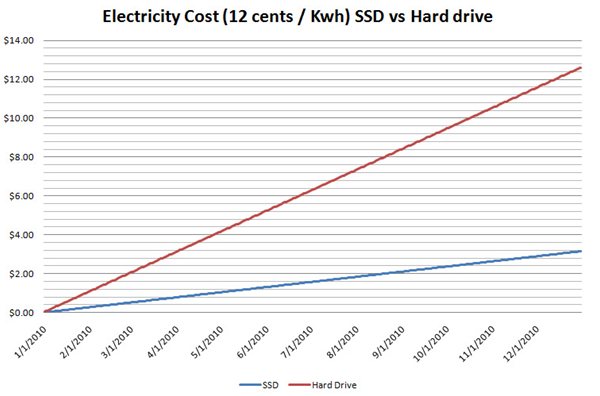
I guess SSD drives have finally caught the eye of the joe average consumers, because the other day a client of mine called asking if they should upgrade to an SSD drive. So I went about explaining to him the difference between traditional platter based storage hard drives and SSD ( Solid State Drives ). Then I got to think that my explanation might be better suited for a blog entry. So here it is.
1 Comments
13292 Visitors
13292 Views
Feb 5, 2010 by Paul White
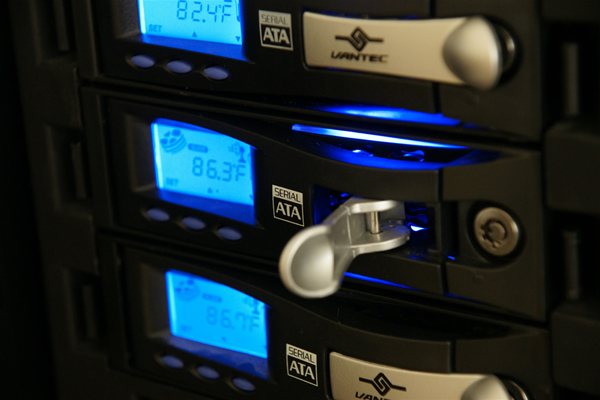
Recently I decided to add some hot swap trays to my system. I searched for quite a while before I found trays that would maintain my personal sense of style ( Bling ), and have functionality as well. I went with the Vantec Trays that include a blue LCD display giving you temperature stats on the drives. Overall I am very happy with my decision, though Vantec could have done a slightly better job with these.
12918 Visitors
12918 Views
Feb 5, 2010 by Paul White
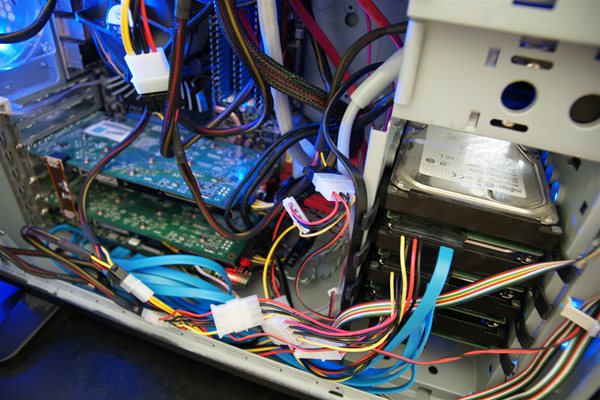
I knew I was going to make the switch to Windows 7, but I wanted to make a few upgrades before I did this. These upgrades included hot swap trays for my SATA drives, and extending my SAS RAID array from 2 drives to 4 drives. However this forced me to get a Dedicated RAID controller, as the ASUS board only supports two SAS drives. On this blog I will focus on the SAS RAID upgrade using the Adaptec 4805SAS RAID card and 4 x 15K RPM Fujitsu SAS Hard Drives.
2 Comments
9844 Visitors
9844 Views
 WhiteSites Blog